In this 5-minute micro-training (video and infographics), you’ll learn how to complete training records in SimplerQMS when assigned a controlled document or template to read and acknowledge.
🧭 Course Overview
In life-science environments, employees may need to review work instructions, procedures, and other controlled documents to stay informed about current requirements. Training records provide documented evidence that assigned learning has been completed.
This micro-training covers three simple parts:
- Why – why reading and acknowledging assigned documents and templates matters
- Basics – how learning assignments and training records work in SimplerQMS
- How-to – how to open the assigned material, review its contents, and acknowledge the training record
🎓 Learning objective: Understand how Read and Understood acknowledgements work and learn how to complete assigned training records in SimplerQMS.
⏱ Training duration: 5 min.
🎯 Target group: Users assigned controlled documents or templates to read and acknowledge in SimplerQMS
1. WHY: Reading and Acknowledging Training Records (Read: 1 min)
Why does it matter?
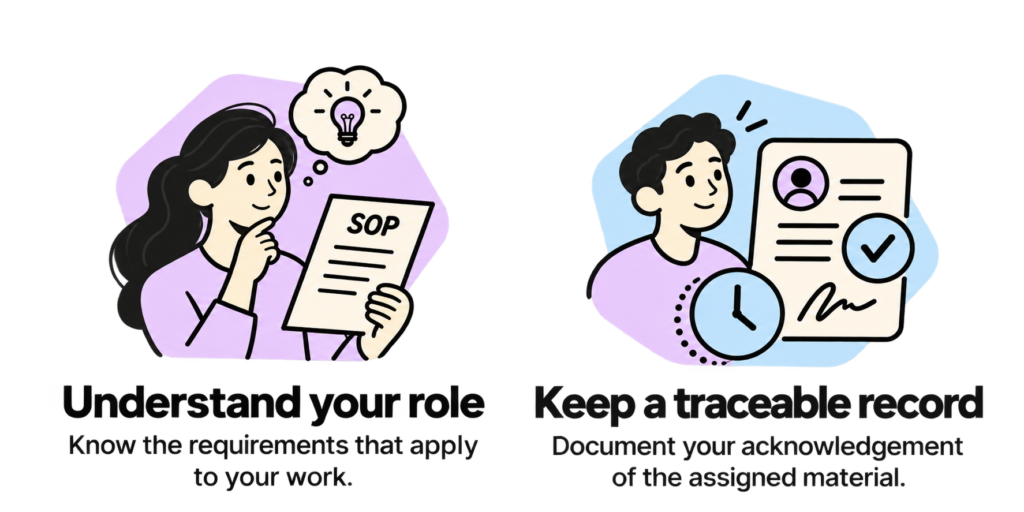
In regulated life-science environments, employees may be required to review controlled documents relevant to their roles, such as standard operating procedures (SOPs), work instructions, and quality procedures.
In SimplerQMS, this process creates a traceable record of the employee’s acknowledgement, supporting the organization’s training documentation and compliance activities.
2. BASICS: Understanding Training Records (Read: 1 min)
What happens when a document is assigned for learning?
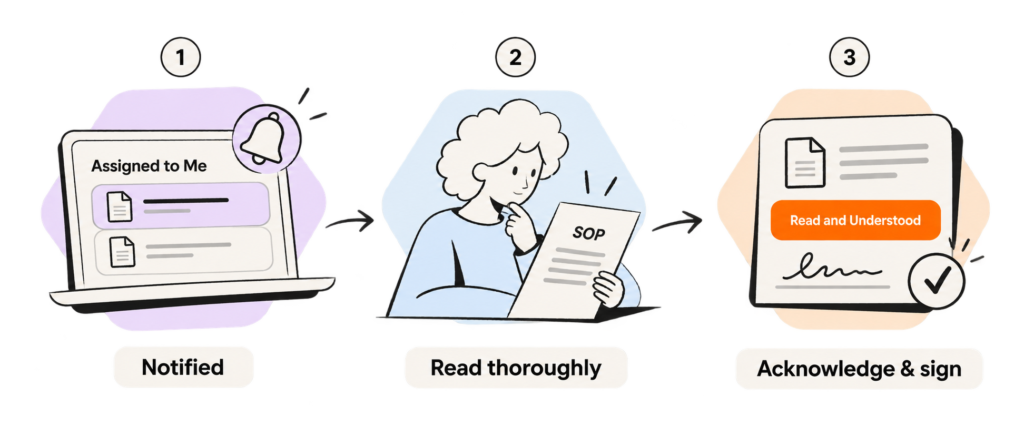
When a document or template is assigned to you for learning, you’ll receive a learning notification. You can then find the corresponding training record in the Assigned to Me section in SimplerQMS.
As a user, you’ll need to:
- Get notified. Locate the assigned training record in Assigned to Me.
- Read thoroughly. Open and review the assigned document or template to understand its contents.
- Acknowledge and sign. Select Read and Understood on the training record and provide the required electronic signature.
Your completed training record provides documented evidence that the assigned material has been reviewed and acknowledged.
3. HOW-TO: Complete a Training Record (Video: 3 min)
Follow these steps to read the assigned document or template and complete the corresponding training record.
3.1 Step-by-step guide to do it yourself
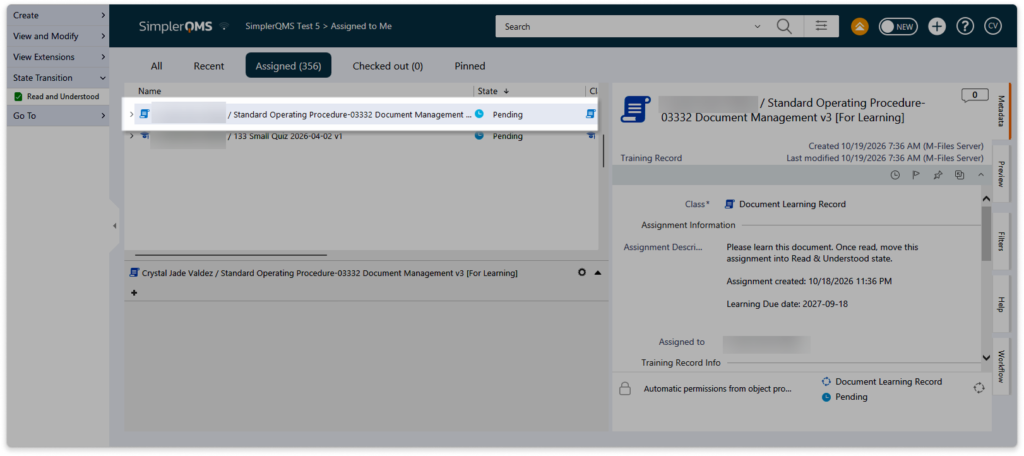
Step 1: Locate the training record
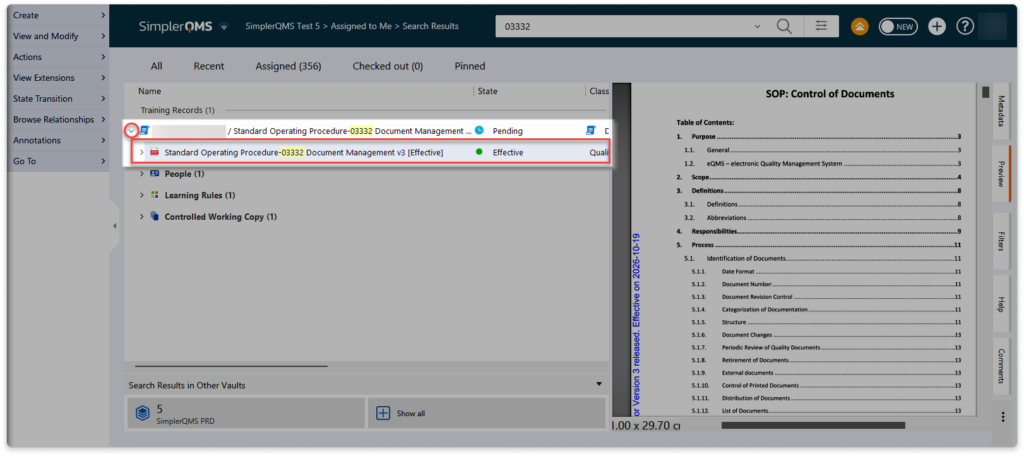
Open Assigned to Me in SimplerQMS, locate the training record for the assigned document or template, and click the expand arrow on its left to display the assigned material.
Step 2: Open and read the assigned material
To read an assigned document, double-click it to open and review its contents thoroughly. For a template, click the expand arrow beside the training record, right-click the template, and select Open to review its contents. Do not double-click a template, as this may initiate a new document instead of opening the template for review.
💡 Tip: Do not double-click a template to open it for learning. This may initiate a new document instead of opening the template for review.
Step 3: Acknowledge the training record
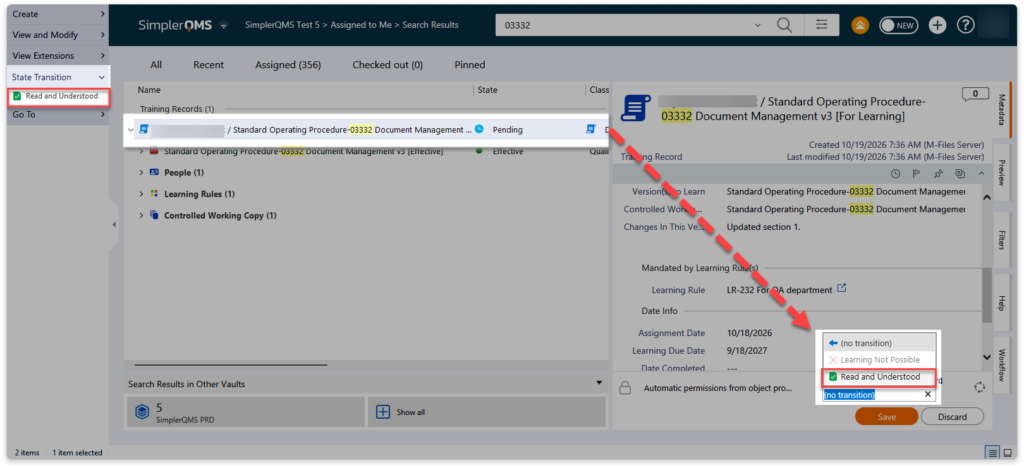
After reviewing the assigned material, select the main training record, then select Read and Understood under State Transition and enter the required electronic signature to complete the acknowledgement.
3.2 Practical reminders
💡Check what’s assigned
If a training record includes multiple documents or templates, review each item listed before acknowledging the assignment.
💡Take note of relevant changes
Pay attention to updated procedures, revised instructions, or requirements that affect your role.
💡Allow enough time to review
Avoid rushing through the material just to complete the assignment. Make sure the content is understood before acknowledging it.
3.3 More detailed information in the Knowledge Base
Visit the Training and Learning article in our SimplerQMS knowledge base for more guidance on learning rules, training assignments, and training records.
