In this 10 minute micro-training (video and infographics), you’ll learn how training is set up and managed in regulated environments, why it matters in life science industries, and how training rules, assignments, and records work in SimplerQMS.

🧭 Course Overview
By the end, you’ll understand what needs to be in place for training to work properly – and how to avoid common gaps that lead to missing or incomplete records.
The course is structured into three simple parts:
- Why – what’s at stake when training isn’t properly managed
- Basics – what actually triggers training records (and what can stop them)
- How-to – how to set up and manage training in SimplerQMS
🎓 Learning objective: Understand how training is assigned, generated, and tracked – and gain the confidence to manage training records correctly in SimplerQMS.
⏱ Training duration: 10 min.
🎯Target group: Users involved in creating, managing, or overseeing training and documentation in SimplerQMS
1. WHY: Training Management (Read: 2 min)
To understand training management, you first need to see what it’s really safeguarding.
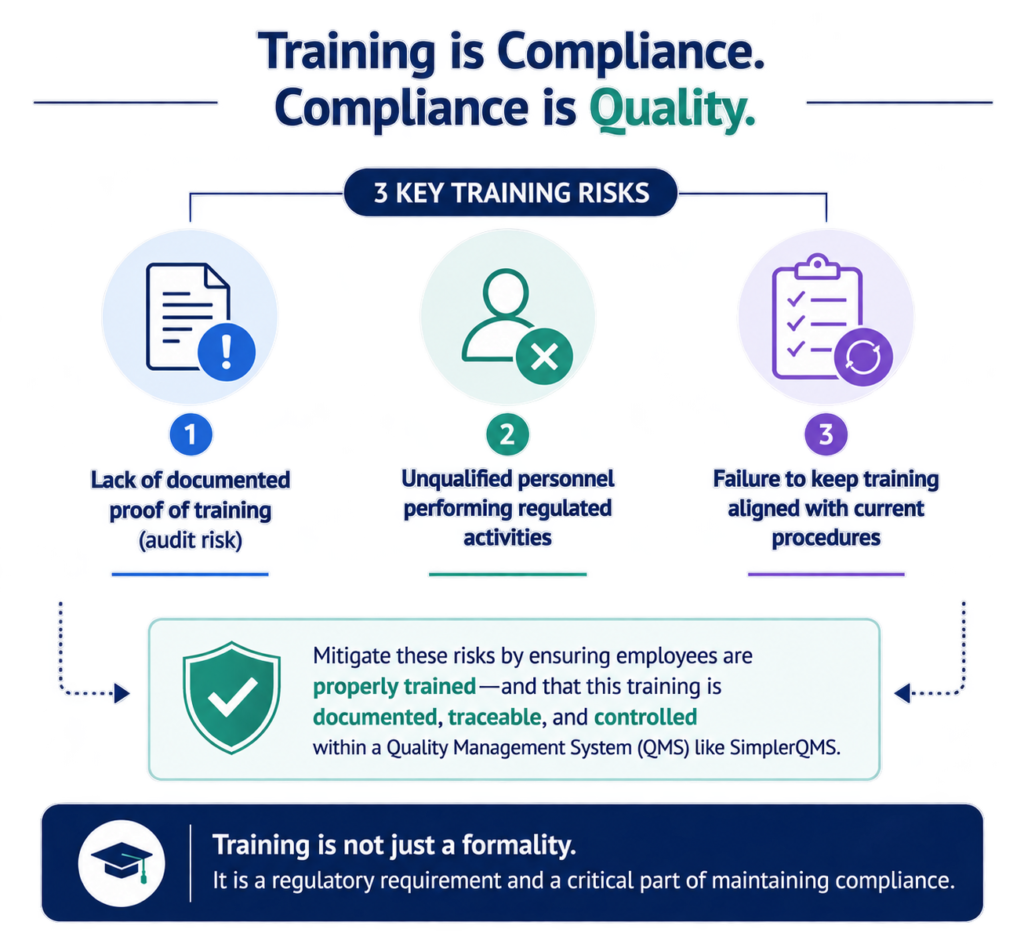
1.1 Why training management matters
In regulated life-science environments, training is more than a requirement –
it’s how organizations demonstrate that people are competent to carry out their work safely and correctly. Standards such as GMP require not only clear processes, but also documented proof of training before critical tasks are performed.
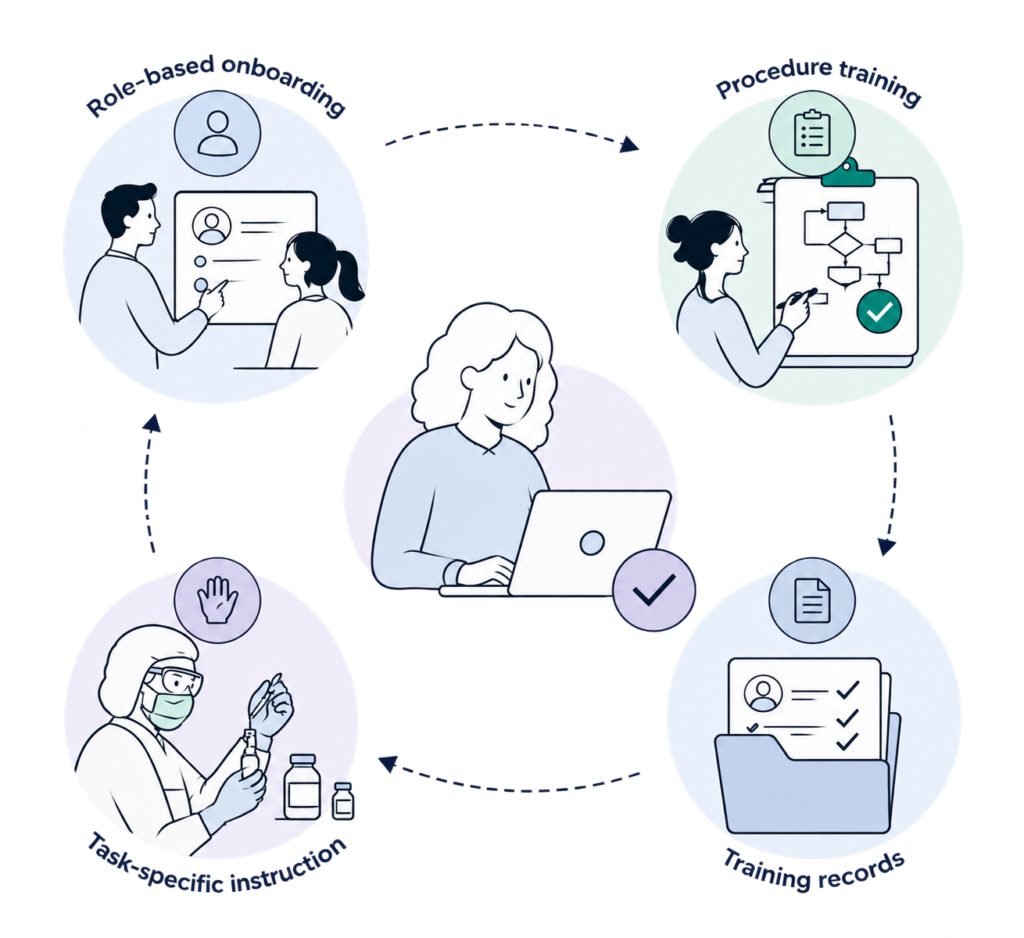
Training may include:
- Role-based onboarding (e.g., onboarding a new QA Specialist completing required training)
- Procedure training (e.g., training production staff on how to investigate a deviation in the QMS )
- Task-specific instruction (e.g., step-by-step training on how to perform equipment cleaning for a tablet compression machine)
- Training records (e.g., documented proof that a QC Analyst has successfully completed HPLC operation training)
1.2 Regulatory foundation (High-level)
Regulations like GMP don’t just recommend training — they require training of employees to be controlled, documented, and provable to be compliant.
In practice, this means:
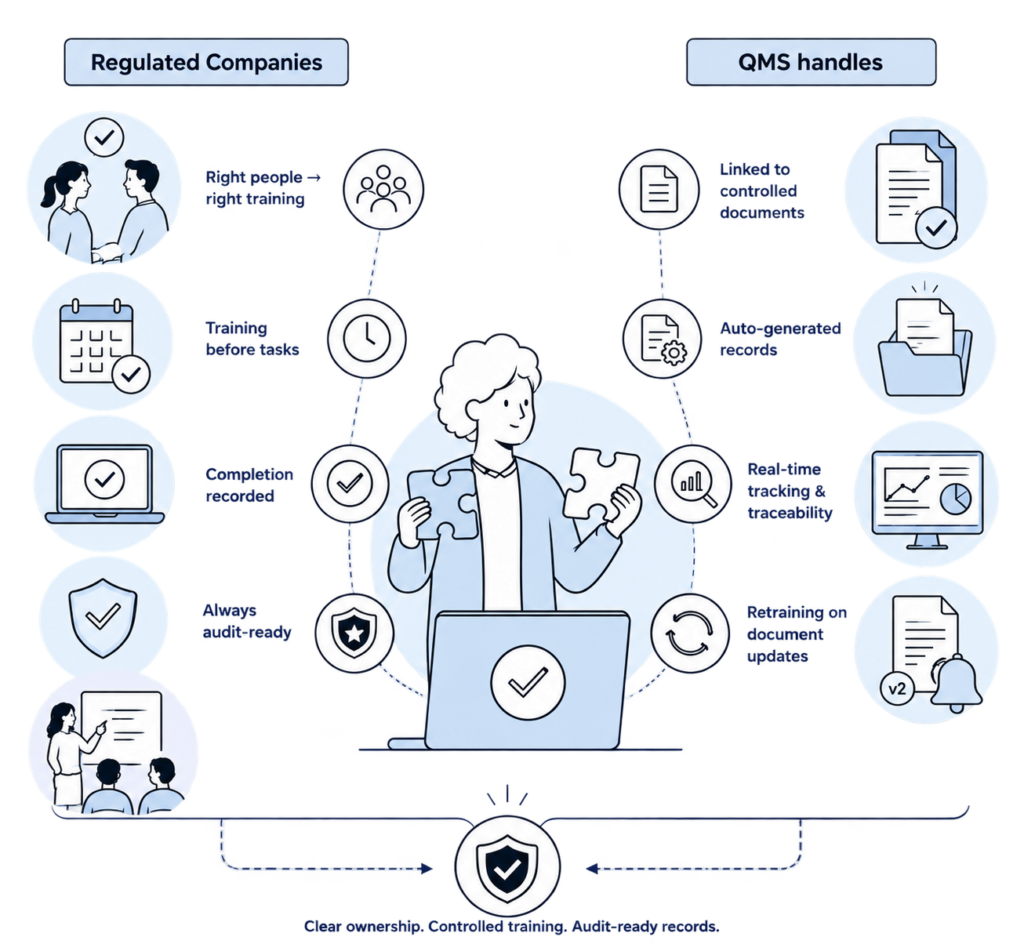
Training management in SimplerQMS keeps training controlled, documented, and audit-ready.
2. BASICS: Training Management (Video: 3 min)
2.1 The basic elements
Training in SimplerQMS connects controlled documents and/or templates, assigned training groups, and learning rules – automatically generating the training records needed for compliance and qualification tracking.
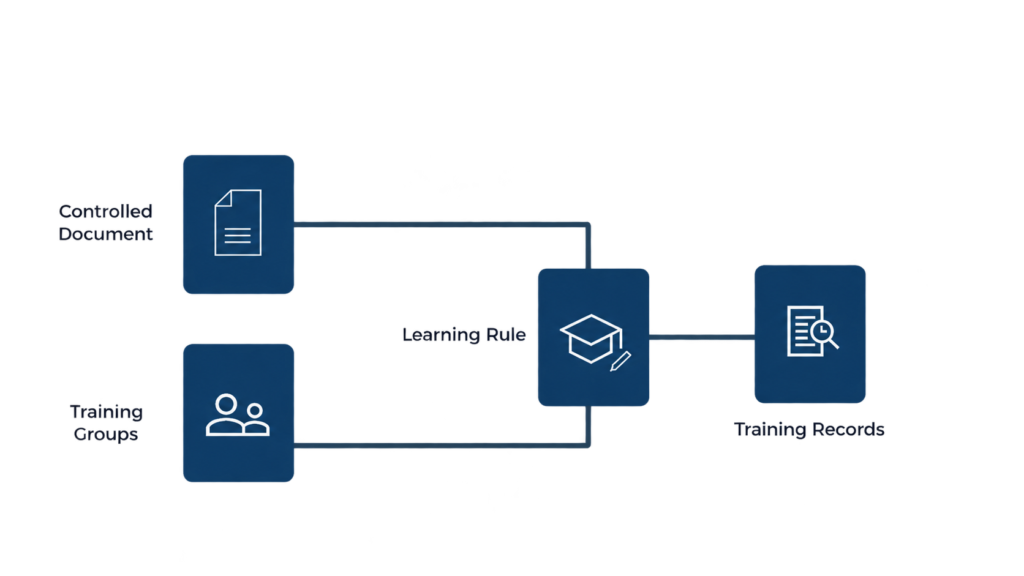
- Controlled Documents / Templates – Controlled documents and/or templates become the source of training.
- Training Groups – Assign training by training groups.
- Learning Rules – Rules define who needs training and when records should generate.
- Training Records – Training completion and qualification are automatically documented.
Core Principles
Here’s a simple way to understand the core principles behind training management in SimplerQMS:
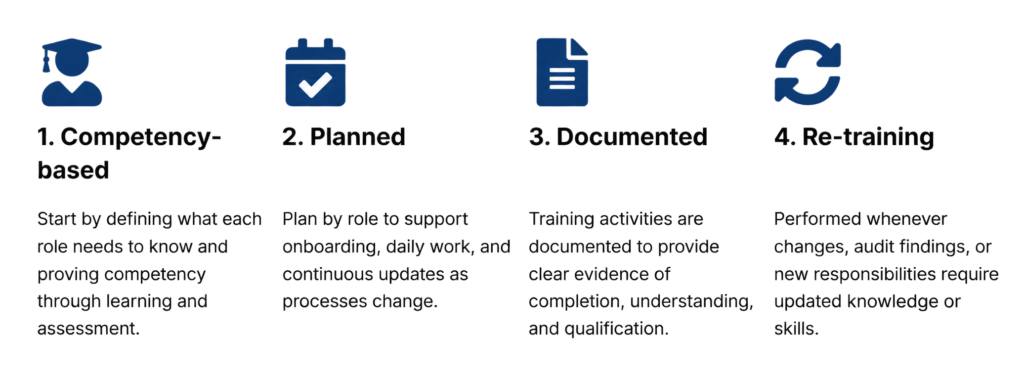
3. HOW-TO: Training Management (Video: 4 min)
3.1 Step-by-step guide to do it yourself
By viewing the above video or by following the steps below, you are now able to manage training in SimplerQMS.
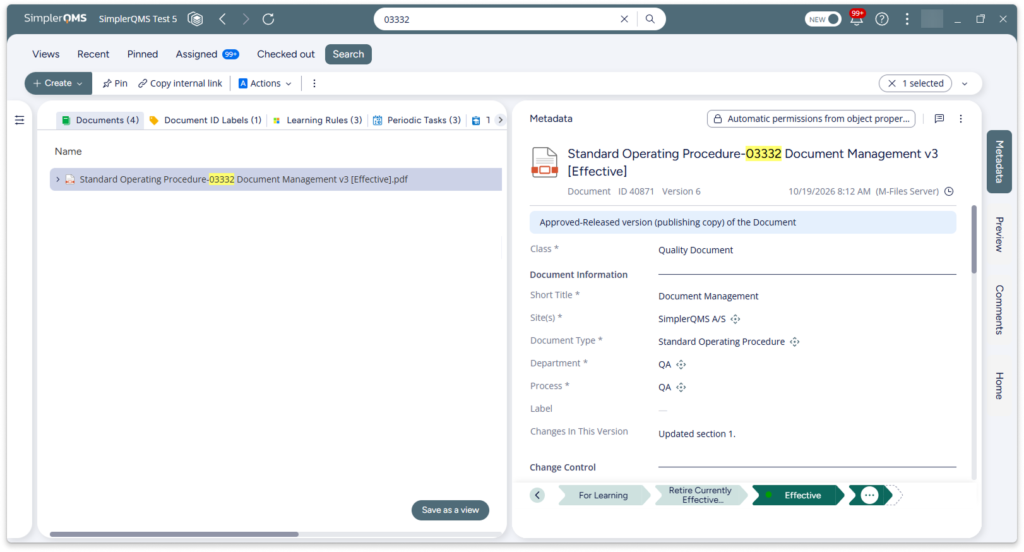
Step 1: Confirm the training material exists
Make sure the Document, Template and/or Quiz you’ll use for training is already created in SimplerQMS.
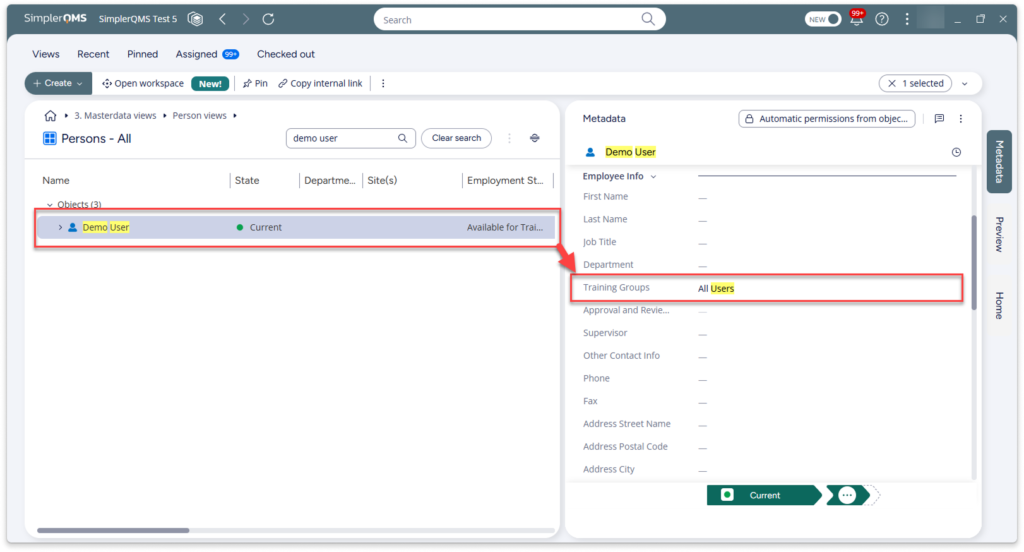
Step 2: Create a training group for bulk assignment (if not yet created)
If the same training applies to multiple people, create a Training Group so you can assign the training once to the group.
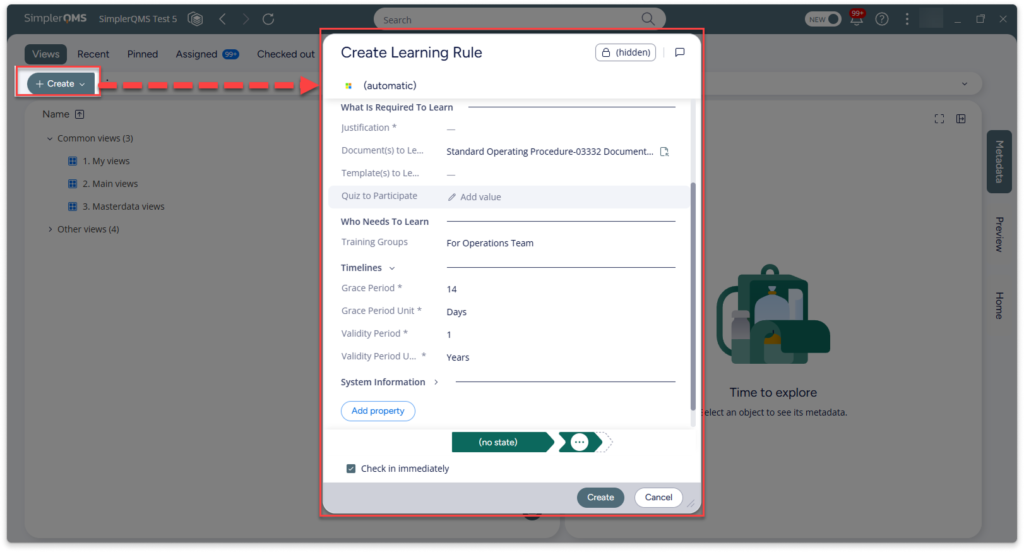
Step 3: Create a Learning Rule
To set up a learning rule and add the following:
- Add Learning Rule Details
- Assign Training Groups
- Choose Documents to Learn
Step 4: Approve the learning rule next
Once your material and groups are ready, approve the learning rule so training records automatically generate.
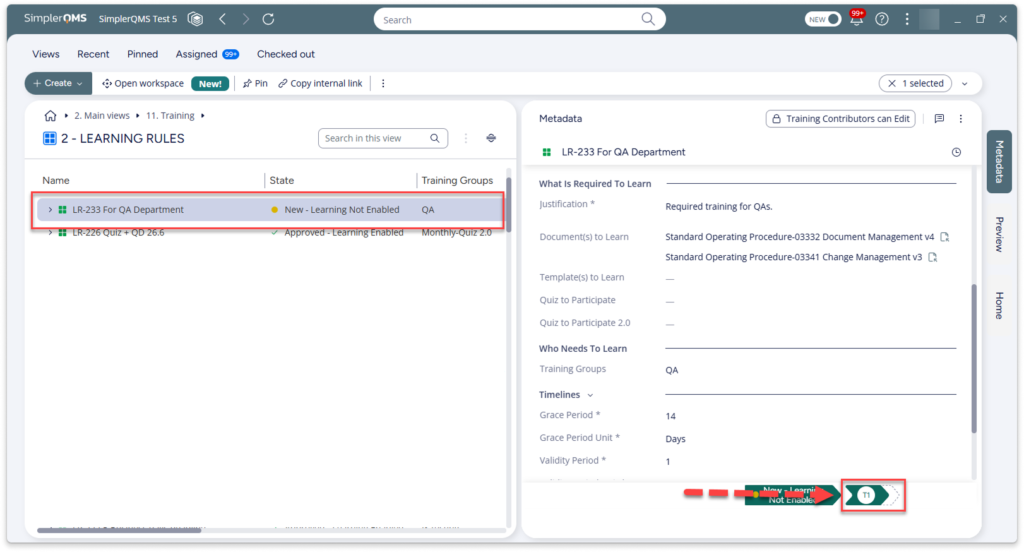
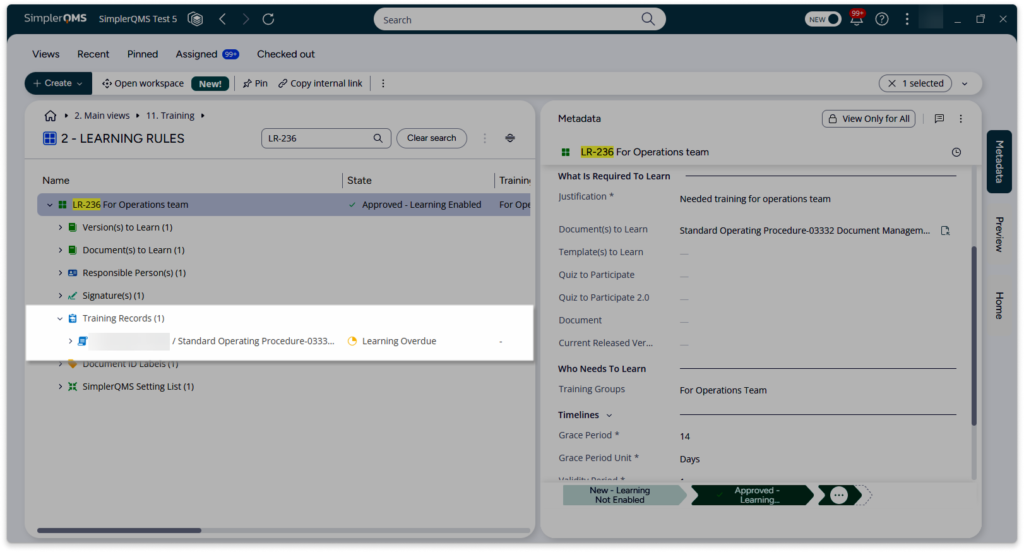
Step 5: Track training completion
Once training records are generated, you can monitor progress and identify pending or overdue assignments using views.
3.2 Practical tips
💡Make sure all prerequisites are in place
Before expecting training records, confirm that the document exists, the correct training rule is set up, and training groups are assigned. If one is missing, no training records will be generated.
💡Use the correct document state
Training records are only created when the document is in Effective or For Training state. Draft documents will not trigger training.
💡Use training groups for easier maintenance
Instead of assigning users individually, use training groups (e.g., “QA”, “Production”, “QC Analysts”). This makes training setup faster and updates much easier to manage later.
3.3 More detailed information in our knowledge base
For step-by-step guidance on setting up training requirements, visit the Managing Training and Learning article in our knowledge base.
